
• Login
teqpost
  • Home
  • Hardware
  • Gaming
  • Gadgets
  • AI
  • Software
  • Security
  • Policy
No Result
View All Result
teqpost
  • Home
  • Hardware
  • Gaming
  • Gadgets
  • AI
  • Software
  • Security
  • Policy
No Result
View All Result
teqpost
No Result
View All Result

Home / Software / Google Maps adds traffic light and stop sign icons on Android Auto

Google Maps adds traffic light and stop sign icons on Android Auto

byLotfi Ben Taleb
September 25, 2026
in Software
Reading Time: 2 mins read
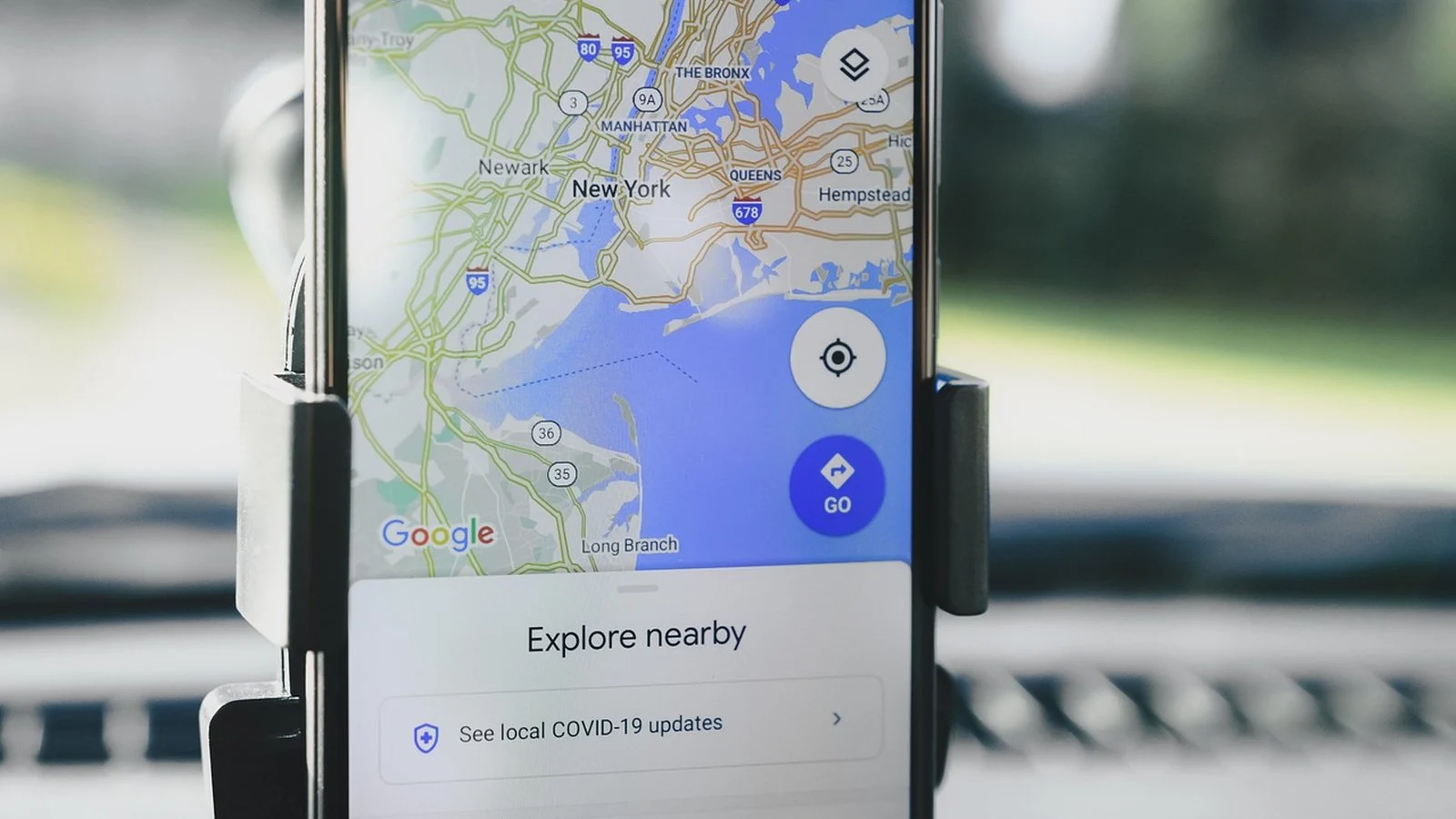
Smartphone in a car dashboard mount showing Google Maps overview of New York with an Explore Nearby panel
Share on Facebook
Share on Twitter

Google Maps has started showing traffic lights and stop signs directly in the turn-by-turn box on Android Auto, rolling out from 23 September, instead of leaving drivers to spot them on the map underneath. The change adds small icons to the same floating panel that already names the street you are about to turn onto, so a driver glancing at the screen sees a stop sign or signal coming up without hunting for it on the road ahead.

How the traffic lights and stop signs indicator works

Previously, Google Maps marked intersections with traffic controls only on the map view itself, as small icons along the route line. That worked fine when you were studying the map, but it did nothing for the moment that actually matters: the turn card that takes over the screen as you approach a junction. The update folds the same information into that card, next to the street name and turn arrow, so the two things a driver needs at a stop, what street this is and what is controlling it, sit in one place instead of two.

It is a small change, but the kind that matters more in a car than on a phone screen you can study at leisure. Android Auto’s interface is built around glanceable information, and burying a stop sign warning on the map layer under the turn card defeats that purpose. Surfacing it in the card itself means a driver does not have to look away from the immediate instruction to find out whether the intersection ahead has a light or a sign controlling it.

A speedometer bug is spreading at the same time

The rollout is not landing cleanly for everyone. AndroidAuthority reports that Google Maps’ Android Auto speedometer has started switching between miles per hour and kilometres per hour on its own, regardless of what unit the driver has set. The outlet traced the complaints to a Reddit thread where four users described the toggle happening mid-drive, and at least one of them said the same switch happened in the Maps app on their phone, not just in the car. Google has not said what is causing it or how many drivers are affected.

The two changes are unrelated in cause, but they land on the same readout: the speed and distance display drivers glance at constantly while navigating. One update makes that readout more useful. The other, for now, makes it less trustworthy. A driver who does not notice their speedometer has quietly swapped to kilometres per hour on a road signed in miles is the kind of small failure that turns into a real ticket, not just a UI complaint.

What to watch

Google has not published a fix timeline for the unit-switching bug, and nothing in the reports ties it to the code behind the new traffic light and stop sign icons. Until the unit toggle is confirmed fixed, drivers running Google Maps on Android Auto should check the posted speed limit shown on screen rather than trusting the speedometer number at a glance. The traffic light and stop sign icons are also rolling out in stages, so drivers who do not see them yet on their unit are not necessarily missing an update they were supposed to get already.

Previous Post

Rayman Legends Retold needs only a GTX 1660 for 1080p60

Next Post

Decades-old flaw in file notification systems spans four OSes

Related Posts

Close-up of a green circuit board with black surface-mount chips and a white connector
Software

New Spectre v2 attack recovers Linux root password hashes

September 30, 2026
Woman taps a phone in a blue case against a wireless card payment terminal on a wooden counter
Software

Apple Pay launches in India, but only with Axis Bank cards

September 30, 2026
Laptop showing terminal text beside a floppy disk, floppy drive, and CDs, with cables on a concrete floor
Software

Decades-old flaw in file notification systems spans four OSes

September 25, 2026
0 0 votes
Article Rating
Subscribe
Notify of
0 Comments

Popular News

Three Samsung phone backs side by side, green with many cameras, purple and cream with three cameras

Galaxy S27 renders show a design split from the Ultra

October 1, 2026
Close-up of an iPhone's glass back and dual rear camera lenses lit from above

iPhone Duo 3D model lets you open the hinge before launch

September 20, 2026
A Radeon graphics card installed in a PC case, lit by green and blue ambient light

Modders get DLSS 5 running on AMD’s RDNA 4 GPUs

September 7, 2026
Close-up of a GeForce RTX graphics card installed in a PC case with a blurred power cable bundle

DLSS 5 mods expose RTX 5090’s power connector limit

September 27, 2026
Next Post
Laptop showing terminal text beside a floppy disk, floppy drive, and CDs, with cables on a concrete floor

Decades-old flaw in file notification systems spans four OSes

Technology for enthusiasts and gamers. Hardware, gaming and the software in between, with the spec sheets read properly and the marketing taken back out.

Categories

Categories

  • AI
  • Gadgets
  • Gaming
  • Hardware
  • Policy
  • Security
  • Software
Site Links
  • Latest
  • About
  • Contact
About
  • How We Work
  • Privacy Policy

© 2026 teqpost. All rights reserved.

  • Privacy Policy
  • Contact

Welcome Back!

Login to your account below

Forgotten Password?

Retrieve your password

Please enter your username or email address to reset your password.

Log In
No Result
View All Result
  • Home
  • Hardware
  • Gaming
  • Gadgets
  • AI
  • Software
  • Security
  • Policy

© 2026 JNews - Premium WordPress news & magazine theme by Jegtheme.

wpDiscuz
0
0
Would love your thoughts, please comment.x
()
x
| Reply