Mesh Wi-Fi is marketed as the modern answer to bad coverage, and sometimes it is. Often, though, poor Wi-Fi is a placement problem, and adding nodes spreads a weak signal around rather than fixing it — while introducing complexity and, in the cheaper systems, cutting your throughput.
The short version
- Most home Wi-Fi problems are placement problems. Try that first; it is free.
- A mesh node relays traffic. Without a dedicated backhaul band, that roughly halves throughput per hop.
- Wired backhaul turns mesh from a compromise into a genuine upgrade.
- Coverage and speed are different problems with different solutions.
First, establish which problem you have
‘The Wi-Fi is bad’ covers several distinct faults with different fixes:
- Dead zones. Fine in some rooms, unusable in others — a coverage problem.
- Slow everywhere. Including next to the router — usually your internet connection, not your Wi-Fi.
- Fine alone, bad when busy. A capacity problem; an older router struggling with many simultaneous devices.
- Intermittent drops. Often interference or a failing device, not coverage at all.
Only the first is a mesh problem. Buying a mesh system to fix the second will change nothing at all, which is a common and expensive disappointment.
Placement, which is free
Routers are routinely installed wherever the cable enters the building — frequently a corner, a cupboard, or behind a television. All three are close to the worst available options.
- Move it central and high. Signal radiates outward and slightly downward; a corner wastes half of it outside the building.
- Get it out of the cupboard. Doors, pipes and metal shelving attenuate signal considerably.
- Keep it away from microwaves and cordless phones, which interfere with the 2.4 GHz band.
- Do not hide it behind a screen or a mirror. Metal and metallic coatings block Wi-Fi effectively.
A long ethernet cable to a better location costs very little and often outperforms a mesh system outright.
A single router in the right place frequently beats three nodes compensating for the wrong one.
How mesh actually works, and where the speed goes
A mesh node receives traffic wirelessly and retransmits it. If it uses the same radio to talk to your devices and to the main router, it must alternate between the two — so throughput through that node is roughly halved. Add a second hop and it halves again.
This is why cheap two-band mesh systems can deliver worse speeds than the single router they replaced, while showing a full signal indicator. The signal is strong; the available bandwidth is not.
The two arrangements that avoid this
- Dedicated backhaul. A separate radio band reserved for node-to-node traffic, so serving your devices does not compete with relaying. This is the feature that distinguishes a good mesh system.
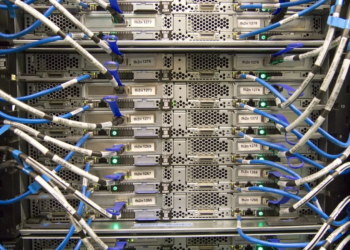
- Wired backhaul. Ethernet between nodes. No wireless relay at all, full speed at every node. If you can run cable, this is the correct answer and it makes even inexpensive systems perform well.
When mesh is genuinely right
- Large homes, or layouts spread over several floors.
- Thick masonry, stone or reinforced concrete walls.
- Buildings where the incoming line is fixed at an unhelpful location and cannot be moved.
- Anywhere you can run ethernet between nodes — at which point it is simply the right architecture.
When a single good router is right
- Apartments and small to mid-sized homes with a workable central position.
- When the router is more than a few years old — replacing it may fix capacity problems that no amount of coverage would.
- When the actual complaint is internet speed, in which case the fix is with your provider.
A sensible order of operations
- Test wired speed at the router and compare it to what you pay for. This separates internet problems from Wi-Fi problems.
- Reposition the router and re-test the weak rooms.
- If the router is old, replace that one device first.
- Only then add mesh nodes — and run ethernet to them if the building allows it.
The same discipline applies here as anywhere else in buying hardware: identify the constraint before spending, a habit we set out in reading a laptop spec sheet.
Frequently asked questions
Will mesh increase my internet speed?
No. Mesh distributes the connection you already have. If speeds are poor beside the router, the problem is upstream and no Wi-Fi equipment will change it.
Are range extenders the same as mesh?
Not quite. Classic extenders typically create a separate network name and require manual switching, and they halve throughput. Mesh systems present one network and hand devices between nodes automatically.
How many nodes do I need?
Fewer than most vendors suggest. Every additional wireless hop costs throughput, so add one, test properly, and only add another if a measured problem remains.